Apply using WeTransfer
How to use WeTransfer
Open WeTransfer > https://wetransfer.com/
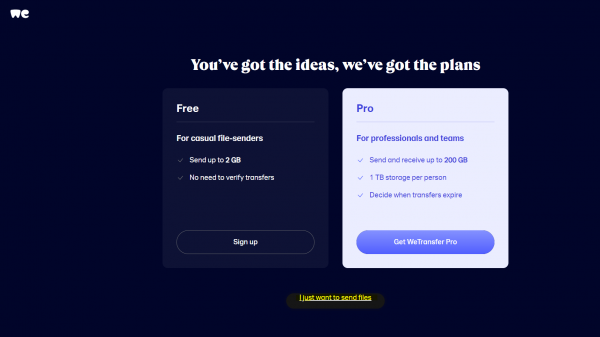
If asked to sign up, select I just want to send files (highlighted in the image below)
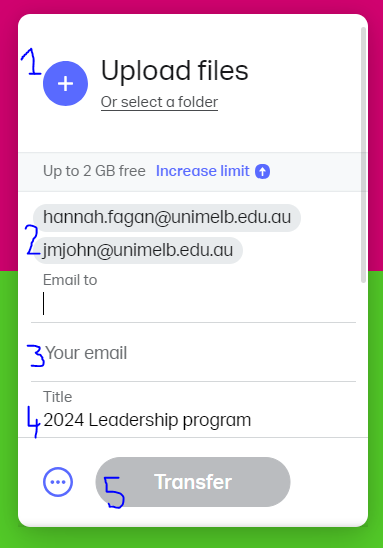
- Click the blue circle to Upload files
- Update Email to with hannah.fagan@unimelb.edu.au josh.cubillo@unimelb.edu.au and jmjohn@unimelb.edu.au
- Add your own email address
- Update Title to 2024 Leadership program
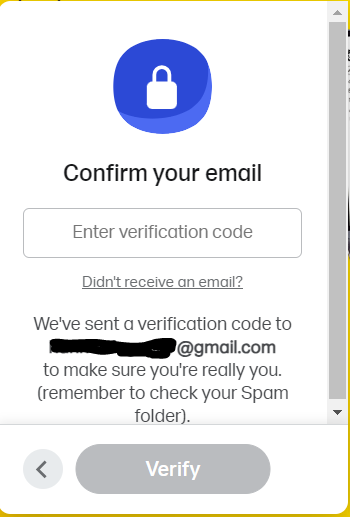
- Click Transfer. You will be sent a verification code to your email.
- Confirm your email using the verification code.
The files will take a few minutes to be transferred and you will receive an email confirming the transfer.